Kurs: every trip in one dispatcher window
Trips, statuses and documents sit in one window for the dispatcher, and data goes to the accounting system without anyone retyping it.
Watch the demoA transport company tracks its trips in messengers and spreadsheets, while the documents live in the accounting system. Several times a day the dispatcher has to piece the whole picture together by hand.
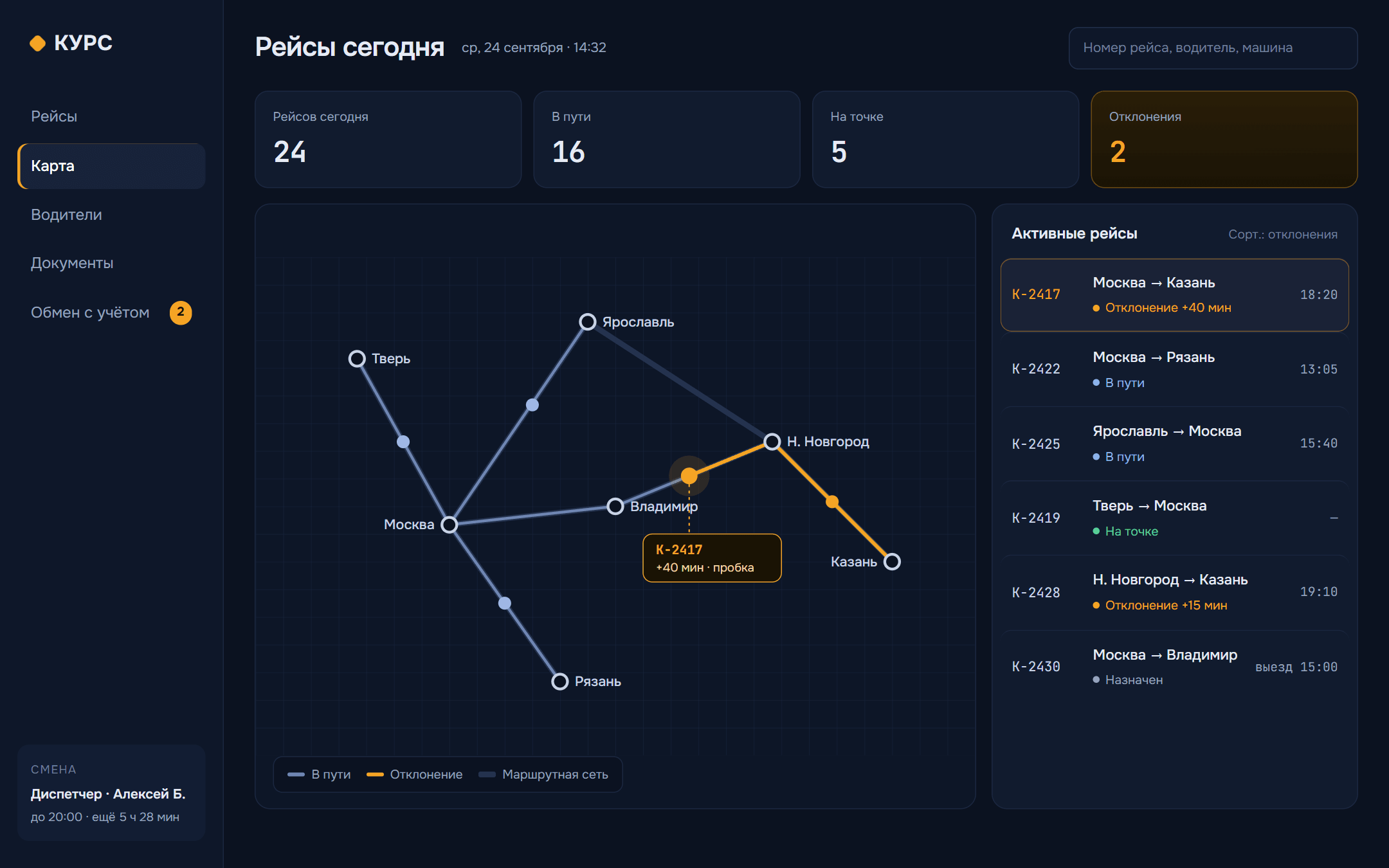
We designed a panel that puts the trip map, statuses, documents and the link to accounting in one place.
A trip from assignment to closing
Studio concept · fictional data · no network or databaseThe dispatcher sees every trip on a route diagram. Anything off schedule or off route is highlighted in amber.
The card holds the driver, the vehicle, the waypoints, the documents and the status. Changing the status takes one click.
Once a trip is closed, it goes to accounting. If something doesn’t match, it appears in a list where it can’t get lost.
More product screens
Decisions
A diagram instead of a satellite map
Routes are drawn as lines and nodes.
Why we chose thisThe dispatcher cares about waypoints and deviations. The terrain doesn’t help.
Statuses as stages
A trip is assigned, goes en route, reaches a waypoint and is closed.
Why we chose thisThe driver, the dispatcher and accounting all follow the same logic.
Exchange log
Every transfer to accounting is listed with its status, and with the error if there was one.
Why we chose thisProblems with the exchange get fixed in the panel instead of in long chats with the accountants.
Product UI kit
A dark interface that’s easy on the eyes over a long shift, amber for anything that needs attention, and trip numbers in a monospace font.
Dark blue + amberUnder the hood
A Next.js web panel and an SVG route diagram. Data goes to accounting through an API, with a queue that retries failed transfers.
Product layers- Next.js
- SVG
- API
- Queues
- Postgres
Your project could be next
Tell us what you need, and we’ll show you how it could look.