

AI assistants for practical business workflows
We integrate AI into customer support, knowledge search, and document workflows — with human review, access controls, and measurable quality checks.
What you can hand over to AI
Customers ask about prices, delivery times, stock and free slots, often in the evening and at weekends. The assistant replies straight away using your price list and rules, books them in and creates the request. If a question is unusual, it passes it to a manager along with the whole conversation.
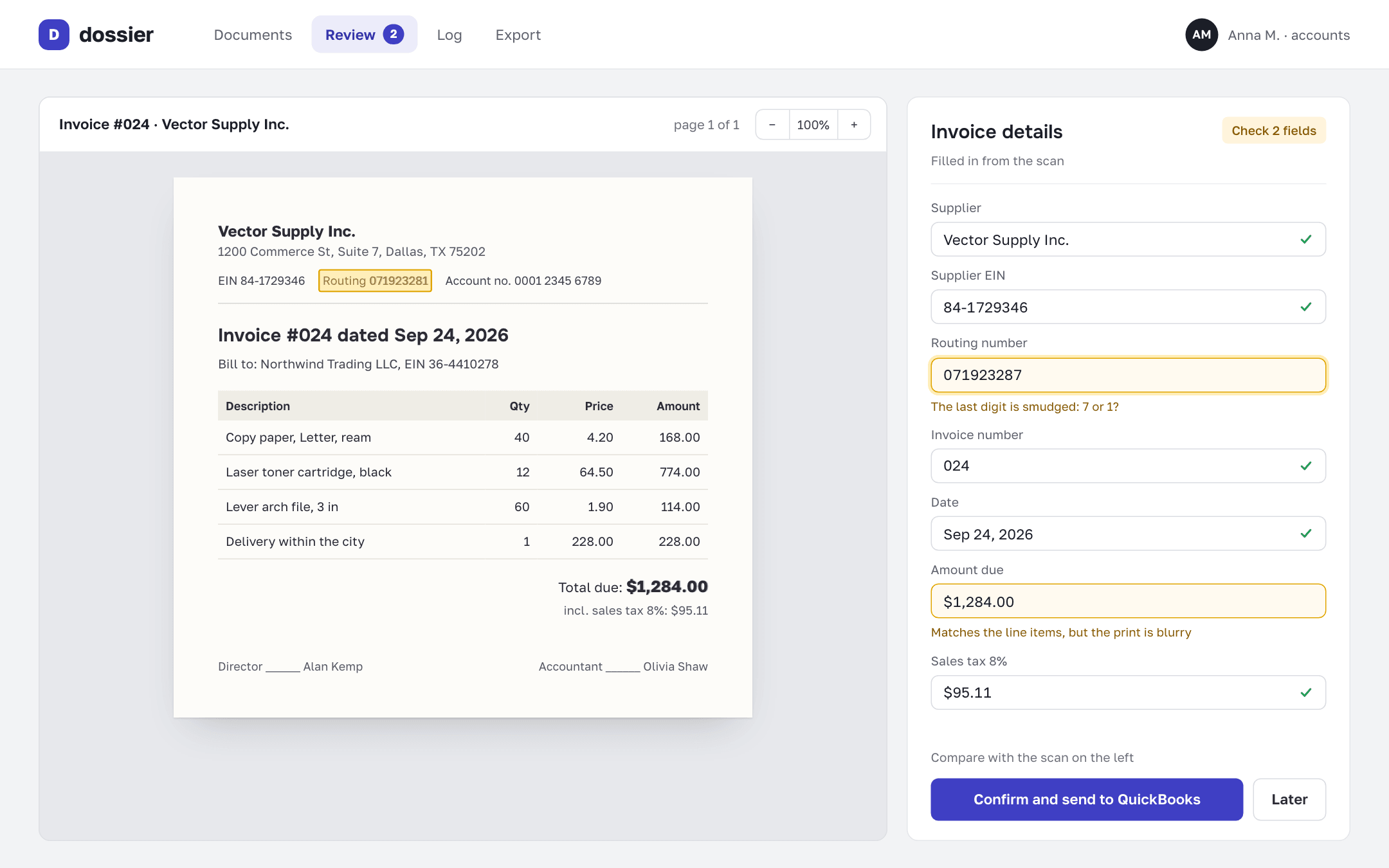
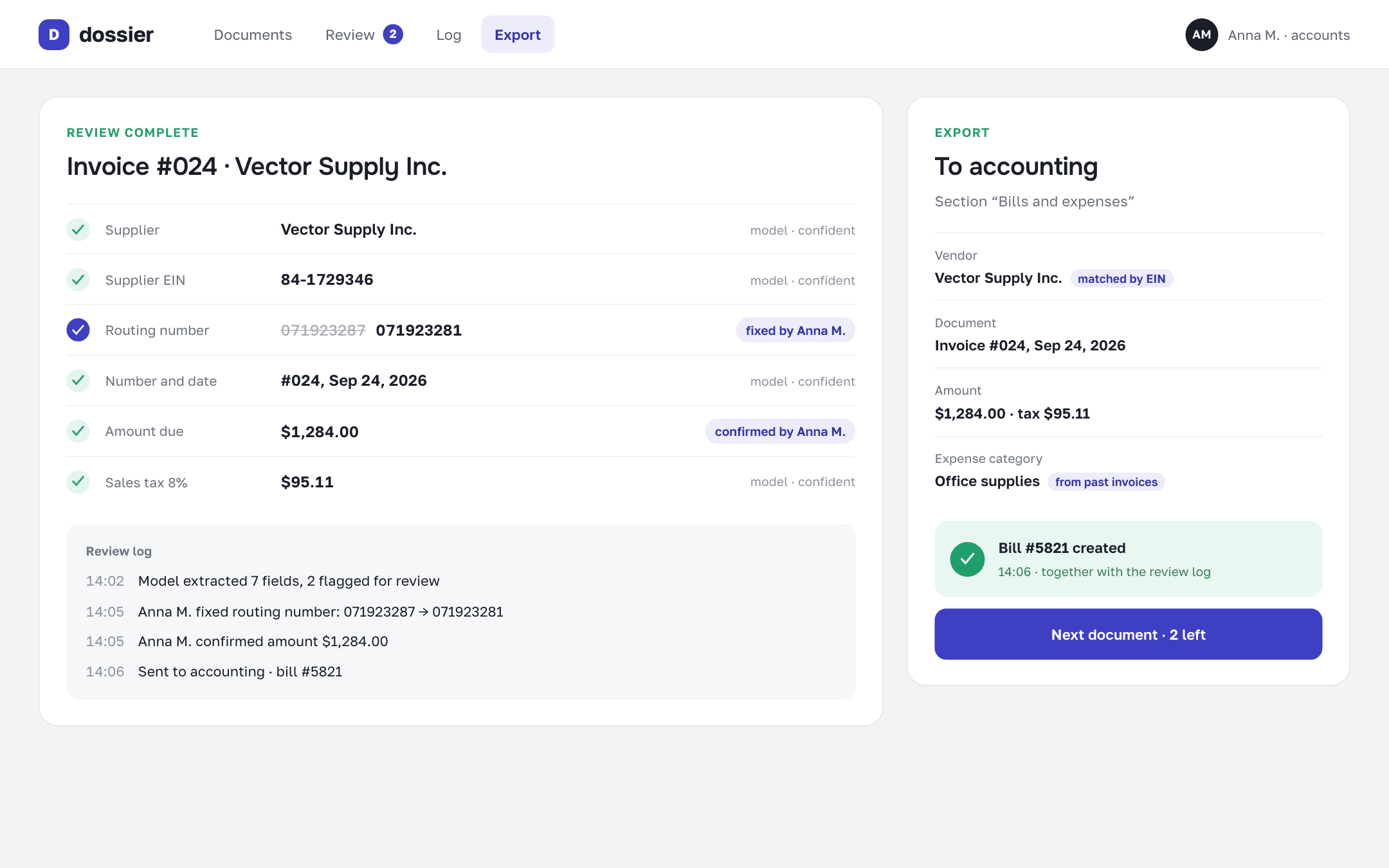
Someone currently reads invoices, contracts, delivery notes and forms and retypes them into the system. AI pulls out the details, amounts and dates itself, checks a contract against your template and shows where it differs. Your employee only checks the doubtful parts.
Rules, manuals and price lists are spread across a dozen folders, and new people keep interrupting their colleagues. The assistant finds the answer in your documents and shows where it came from.
Emails and requests keep coming, and someone decides by hand what’s urgent and who should take it. AI tags each one, sends it to the right person and puts together a short daily summary for the manager.
What’s included
- Logging and review of responses
- Assessment of whether AI fits the task
- Assistant scenarios
- Data sources: price lists, manuals and documents
- Quality testing on your own examples
- Improvements after launch
Separately, by agreement
- Running the AI on your own server
- Extra training of the AI on your data
- Assistants for other departments
- Support
What it costs
- pilot
one task, such as answering customers in a chat or processing one type of document
How we work
- 01
Task
We look at where your staff lose the most time and pick one task. We agree up front which numbers will tell us it got better.
- 02
Materials
We collect price lists, manuals and real examples: conversations, invoices, requests. The assistant works from them, and we test it against them too.
- 03
Pilot
We put the assistant to work on that task as a trial. Every week we show you how it’s doing and how much manual work is left.
- 04
Launch
We connect it to the chats and tools you work in, train your staff and keep an eye on the quality of its answers.
Before the first call
Didn’t find your question?
Message us on Telegram and a member of our team will reply.
Message us on TelegramIt takes over the repetitive part of the job: routine questions, retyping fields, searching the manuals. Decisions and tricky cases stay with people. In practice, the same work gets done by fewer people, or the same people get more done.
It only answers from your materials. When the answer isn’t there or the question is unusual, it hands the conversation to a manager. Every answer is saved in a log, so you can review and correct it.
Only if you choose an AI that runs on an outside company’s servers, and then only under a contract with that company. We can also run the AI on your own server, and then the data never leaves your network.
It depends on the task and on how sensitive the data is. The AI can run with an outside service or on your own server, and for sensitive documents we put it on your server.
Then we say so in the report. That’s what a pilot is for: finding out before you spend serious money.
See also
- ServiceIntegrations and automationWe connect the tools you already use, like your website, CRM, 1C, warehouse and online payments. Data moves between them on its own, so nobody has to copy it by hand
- ServiceCRM and ERP systemsWe build software that runs the day-to-day of your business. Requests, clients, orders and stock live in one place, and reports put themselves together, with no spreadsheets or chat threads
- ConceptInvoice reading with a person checking the resultA document-processing concept combining field extraction, human review, and accounting-system export.
- AIHow to test AI before trusting it with documentsAI gets things wrong sometimes. What matters is how often, and whether you catch it. Here’s how to run a small trial that shows whether to go further.